Skip to content
Private beta on macOS

The video editoryou talk to.

Qalam is a fast desktop video editor with an AI agent beside the timeline. Ask for cuts, captions, maps, 3D or sound effects and watch the edit happen, live. Every change stays yours to tweak or undo.

  • macOSPrivate beta
  • WindowsComing soon
  • LinuxComing soon

The real thing
That was a sketch. This is the Studio itself: connect the agent you already use, ask for a cut, and watch it land on the timeline.

Works with the coding agent you already use →

  • Claude Code
  • Cursor
  • Codex
  • Gemini CLI
  • OpenCode
  • GitHub Copilot
  • Windsurf
  • Antigravity
  • Cline
  • Roo Code
  • Kilo Code
  • Kiro
  • Amp
  • Aider
  • Zed
  • Goose
  • Augment Code
  • Junie
  • Trae
  • Qwen Code
  • DeepSeek
  • Command Code

Made in Qalam

Watch what it makes.

Documentary explainers, product films, map videos and cartoon 3D, every one edited in Qalam. Pick one to watch it with sound.

Open the showcase

What you get

One editor. Everything a creator needs.

Six things Qalam does that used to take three apps, a plugin budget and a weekend.

01 · Talk to edit

Say what you want. Watch it happen.

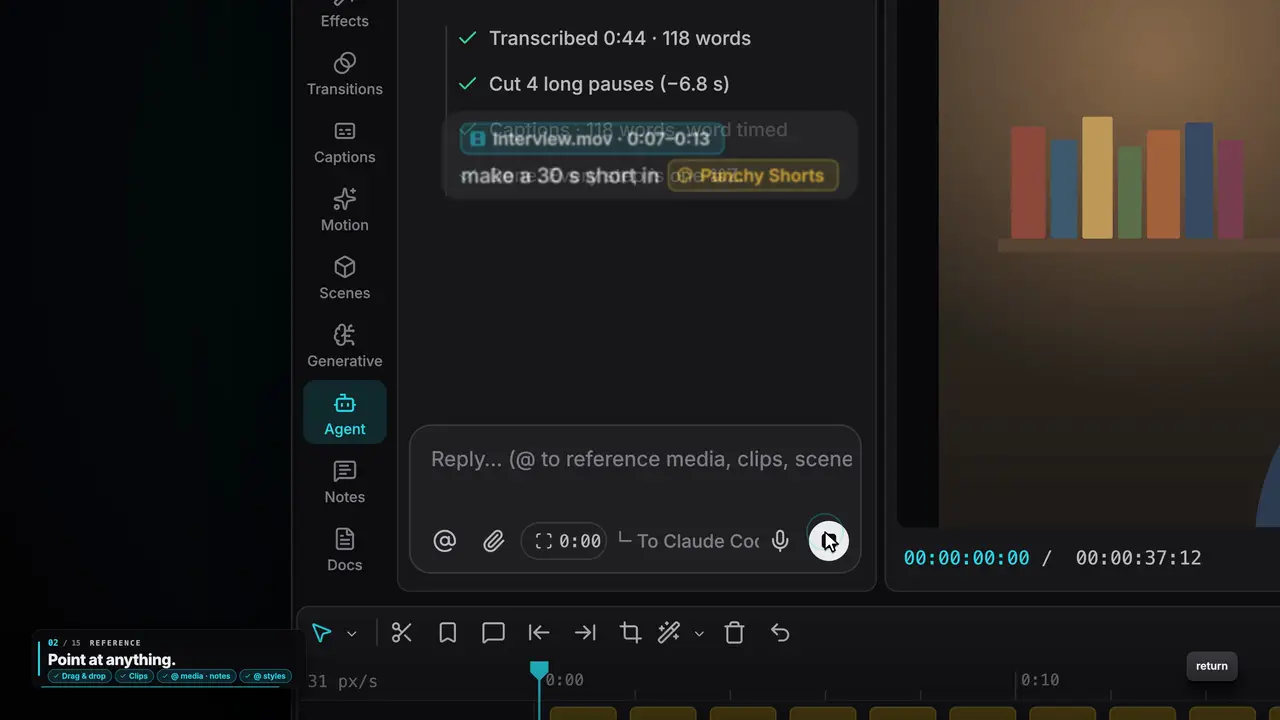
The agent works on the same timeline you do. It transcribes, cuts the pauses, adds captions and motion, and you see every change land.

  • Works with the AI you already use
  • Every change named and undoable
  • Pin a note on the frame, it fixes it
See how

The agent transcribes, cuts and captions · real Qalam output
02 · Maps without After Effects

Documentary maps from one sentence.

The globe turns, the camera flies in on real satellite imagery, routes draw themselves and pins drop right on your words.

  • Satellite, HD and night-light maps
  • Routes, pins, labels, numbers
  • 3D tilt so mountains stand up
See how

Globe fly-in on satellite imagery · real Qalam output

03 · 3D without Blender

Whole 3D worlds, right in the editor.

Cartoon towns, low-poly islands or your own models lit by a real sky. They play live in the player while you edit.

  • Drop in GLB, FBX, OBJ, USDZ…
  • Cameras that glide and push in
  • No render wait to preview
See how

A low-poly world built in 3D · real Qalam output

04 · Sound from a sentence

Voice-overs and sound effects you describe.

Type a script and pick a voice. Describe a “deep cinematic boom” and it lands on the beat. Clean up your own mic in one click.

  • AI voice with your ElevenLabs key
  • AI sound effects
  • Enhance voice on your Mac
See how

Sound effects, found or made · real Qalam output

05 · Look finished

Remove the background. Fix the voice. Grade it.

Pro finishing tools are a click away: background removal on video, voice isolation, colour looks, transitions and effects.

  • 18 transitions, 14 effects, 8 looks
  • Masks, blend modes, curves
  • All on your GPU
See how

Remove background, enhance voice · real Qalam output

06 · Motion graphics

Need something new? The agent writes it.

Titles, counters and lower thirds are ready-made. For anything else the agent writes a custom animated scene that plays live.

  • 55 animations, 13 for text
  • Click and drag inside the scene
  • Scenes bring their own sound
See how

A scene the agent wrote, playing live · real Qalam output

How it works

From raw footage to finished video, in four moves.

  1. Step 1

    Tell the agent what you want

    Drop in your footage and say it in plain words, or hold ⌘⇧D and talk. “Cut the pauses, caption it, add a map when I mention Panama.”

    Agent Claude Code
    Cut the pauses, caption it, and add a map when I mention Panama.
    Ask for a change…
    @ clip⌘⇧D
  2. Step 2

    Watch it edit, live

    Clips land on the timeline while you watch: cuts, captions, scenes, voice, sound. Grab the mouse any time and take over.

    Transcribed 4:12 of speech3 s
    Removed 38 pauses6 s
    Captions · word pop9 s
    Map: fly to Panama12 s
  3. Step 3

    Point at what to change

    Press P, click the frame, write a note: “bigger”, “wrong city”, “too loud”. The agent fixes each one and ticks it off.

    Colón
    Note at 00:01:24
    Wrong city, should be Panama City
    Fixed by the agent
  4. Step 4

    Export it

    Up to 4K at 60 fps, with a publish pack of titles, chapters and thumbnails, plus the captions as SRT.

    Export
    MP4 · H.2644K · 60 fpsCaptions · SRTPublish pack
    Rendering on your GPU72%
    Also: Publish pack · Captions (SRT)

Bring your own AI

No new AI bill. Use what you already pay for.

Qalam doesn’t resell AI. It works with the coding agent and the voice keys you already have, so you keep your plan, your models and your price.

Your account

Claude Code

Runs in the Agent tab using the Claude Code already installed and signed in on your computer.

Your account

Cursor

Cursor’s agent runs right beside the timeline, on your Cursor plan.

Your API key

OpenRouter

Hundreds of models (Claude, GPT, Gemini, DeepSeek…) on one key, for the agent and for captions.

Your API key

ElevenLabs

AI voice-overs from your script and sound effects from a sentence. Or Vibi for ElevenLabs, MiniMax and CapCut voices.

Plus 20 more agents that can join a chat and edit the open project:

  • Codex
  • Gemini CLI
  • OpenCode
  • GitHub Copilot
  • Windsurf
  • Antigravity
  • Cline
  • Roo Code
  • Kilo Code
  • Kiro
  • Amp
  • Aider
  • Zed
  • Goose
  • Augment Code
  • Junie
  • Trae
  • Qwen Code
  • DeepSeek
  • Command Code
  • Any other agent
Everything Qalam works with

Styles

Your way of editing, saved as a recipe.

A style holds the steps, brand, fonts, caption look and rules for a kind of video. The agent follows it every time, and stops for your OK where you want it to.

9:16

Punchy Shorts

Fast vertical shorts with a hook in the first second.

  1. 1Hook & angle
  2. 2Script
  3. 3Voice
  4. 4Tight cut
  5. 5Captions
  6. 6Zooms, B-roll & text
  7. 7Sound design
  8. 8Review
  9. 9Publish pack
  10. 10Final render
16:9

Deep Dive

Long-form explainers, from research to thumbnail.

  1. 1Topic & question
  2. 2Research & sources
  3. 3Outline & script
  4. 4Voice
  5. 5Rough cut
  6. 6Cold open
  7. 7Chapters & graphics
  8. 8B-roll
  9. 9Captions
  10. 10Sound
  11. 11Review
  12. 12Thumbnail
  13. 13Publish pack
  14. 14Final render
Any shape

Your own style

Show the agent a few videos you love. It builds a reusable style from them in 9 guided steps.

  1. Talking head
  2. Podcast clips
  3. Faceless explainer
  4. Tutorial
  5. Cartoon story
  6. Product promo
  7. +5 more

Fast, local, private

A real desktop app. Not a website pretending to be one.

Your footage stays home

Projects, media and keys live on your computer. Nothing is uploaded unless you ask for something online.

One engine, no surprises

Preview and export draw every frame with the same GPU engine. What you see is what you get.

120 fps with 1,000 clips*

A native app written in Rust stays smooth on long, busy timelines.

Fix a note in seconds

Only the parts that changed are rendered again, so a small fix never means a full re-export.

Every edit checked

Hand edits and agent edits go through the same checks, so the project stays valid.

* Measured on an Apple Silicon Mac in Qalam’s own benchmark project. Your speed depends on your computer.

FAQ

Questions, answered.

What is Qalam?

A desktop video editor with an AI agent built in. It has a full timeline like CapCut or Premiere, and an agent beside it that can do the editing for you while you watch: cuts, captions, motion graphics, maps, 3D, voice and sound.

When can I use it?

Qalam is in private testing on macOS now. Windows and Linux are coming. Join the waitlist and we'll email you when it's ready for you.

Do I need to pay for another AI subscription?

No. Qalam works with the AI you already use: Claude Code or Cursor on your own account, or any model through your OpenRouter key. You keep paying your provider as you do today.

How much will it cost?

Qalam will be a paid app. Prices are announced before launch, and people on the waitlist hear them first. Joining the waitlist is free, but it doesn't include free access to Qalam.

Does my footage get uploaded anywhere?

No. Qalam runs on your computer and your projects stay there. It only goes online when you ask for something online, like downloading a font, importing from YouTube or generating an AI voice.

Is it only for AI editing?

Not at all. Everything the agent does, you can do by hand: it's a full editor with keyframes, colour grading, masks, transitions and 72 shortcuts. The agent is there when you want it.

Which computers will it run on?

Today: Macs with Apple Silicon (M1 or later). Windows and Linux versions are in development.

Can I keep using CapCut?

Yes. Qalam can use CapCut's auto captions, so you keep the captions engine you know.